
Transparent Screen & Live Wallpaper: The Ultimate Android Guide
Your Android home screen says a lot about you. And right now, two of the most jaw-dropping customization trends taking over the Android community are transparent screen effects and live wallpapers. Whether you want your phone to look like it has an invisible shell or you want your wallpaper to actually move, this guide walks you through everything you need to know—step by step.
What Is Transparent Screen Technology on Android?

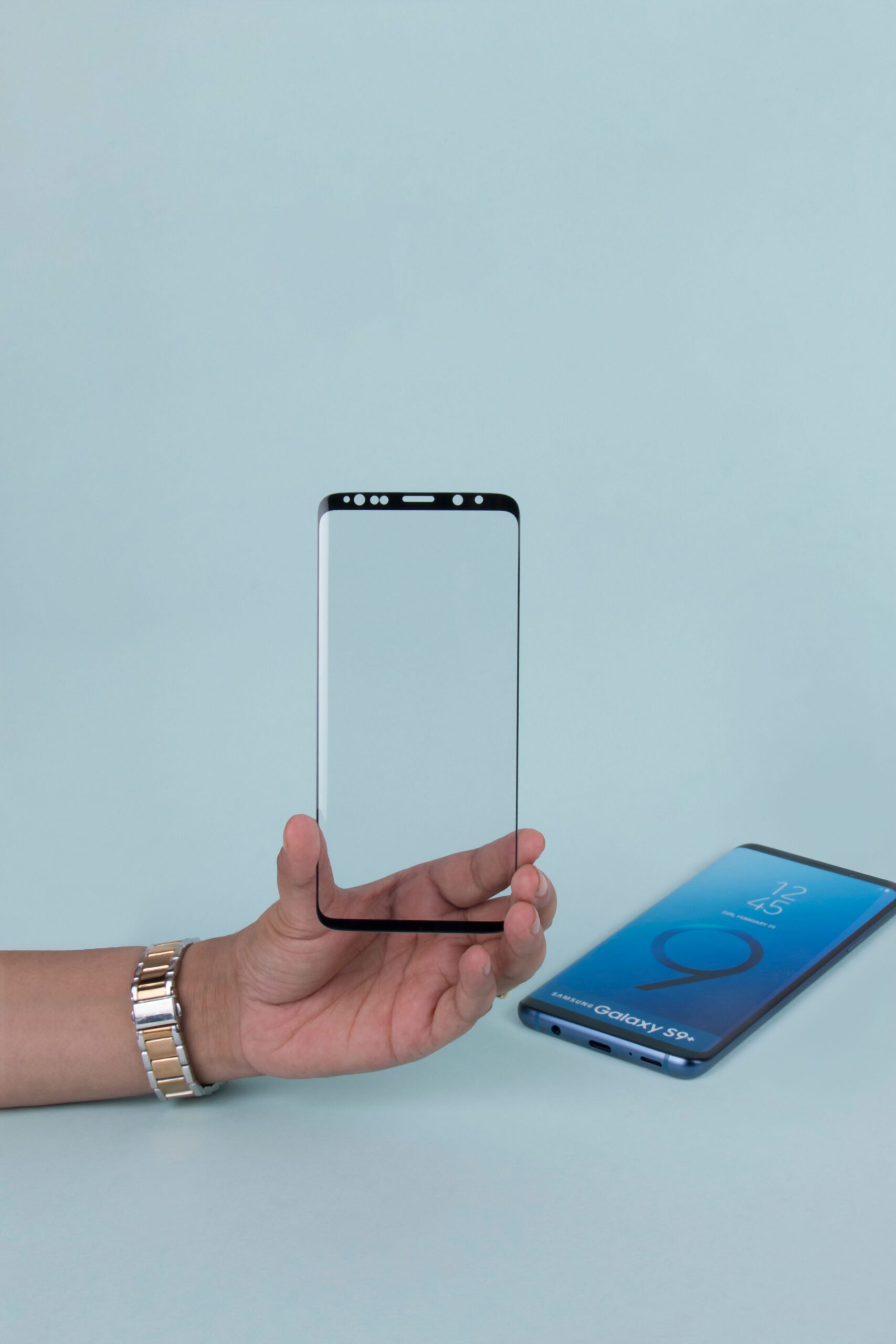
Transparent screen technology creates the illusion that your phone’s display is see-through. By using your device’s rear camera feed as a background, apps like Transparent Screen (available on the Google Play Store) overlay your home screen icons on top of a live camera preview. The result? Your phone looks like a window to whatever is behind it.
It sounds like a magic trick—and honestly, the first time you try it, it kind of feels like one!
How Does It Work?
The effect works by running a continuous feed from your rear camera and displaying it as your wallpaper in real time. Your icons, widgets, and app drawer sit on top of this feed, giving the appearance of a transparent device. Some apps enhance this with blur effects, brightness adjustments, and overlay filters to make the effect look even more polished.
Keep in mind that because the camera runs continuously, this feature does consume more battery than a standard wallpaper. It’s a trade-off worth knowing about before you commit!
Benefits and Use Cases
- Showstopper aesthetics: Your phone instantly becomes a conversation starter
- Spatial awareness: Useful in certain accessibility contexts where users want to see their surroundings without lifting the phone
- Creative content creation: Perfect for unique TikTok and Instagram Reels content
- Personalization: Makes your device feel truly one of a kind
Exploring Live Wallpapers on Android
Live wallpapers are animated backgrounds that bring your home screen to life. From swirling galaxies and cascading rain to abstract geometric patterns and interactive particle effects, the options are almost endless.
Unlike static wallpapers, live wallpapers respond to touch, time of day, or even your phone’s sensors. Tap the screen and watch the particles scatter. Tilt your device and watch the depth shift. It’s genuinely delightful!
Customization Options
The Google Play Store offers thousands of live wallpaper apps, ranging from free options to premium packs. Some of the most popular categories include:
- Nature scenes: Forests, ocean waves, falling leaves
- Abstract and geometric: Morphing shapes and color palettes
- Interactive effects: Wallpapers that respond to your touch in real time
- Seasonal themes: Snow falling in winter, cherry blossoms in spring
- 3D parallax: Creates depth as you tilt the phone
Apps like Muzei, Pixel Weather, and Backdrops are great starting points if you’re not sure where to begin.
Impact on User Experience
A great live wallpaper doesn’t just look good—it changes how you feel about using your phone. There’s something genuinely satisfying about unlocking your screen and seeing something beautiful and alive. Studies on digital aesthetics suggest that personalized environments (yes, including your phone screen!) can positively influence mood and engagement. So don’t underestimate the power of a well-chosen live wallpaper!
Step-by-Step Guide for Android Users
Ready to set things up? Here’s exactly how to do it.
How to Set Up a Transparent Screen Effect
- Open the Google Play Store and search for “Transparent Screen” or “Screen Transparency”
- Download a well-rated app (look for one with 4+ stars and recent updates)
- Open the app and grant camera permissions when prompted—this is essential for the effect to work
- Adjust the transparency level, blur intensity, and brightness to your preference
- Tap Set as Wallpaper and select Home Screen
- Head back to your home screen and enjoy the effect!
Pro tip: Try this in a well-lit room for the most impressive result. Low light makes the camera feed grainy, which dulls the effect significantly.
How to Install and Customize Live Wallpapers
- Download a live wallpaper app from the Google Play Store
- Open the app and browse or select your preferred wallpaper
- Tap Set Wallpaper (some apps may call this “Apply” or “Preview & Set”)
- Choose whether to apply it to your Home Screen, Lock Screen, or both
- Return to your settings and fine-tune options like animation speed, color, and touch interaction
- Done! Your home screen is now officially alive
Troubleshooting Common Issues
Hit a snag? Here are the most common problems and how to fix them:
- Transparent screen looks blurry: Check your camera lens for smudges, and increase the brightness setting in the app
- Live wallpaper drains battery fast: Lower the animation frame rate in the app settings, or switch to a less intensive design
- Wallpaper reverts to static after restart: Go to Settings > Display > Wallpaper and re-apply the live wallpaper manually
- App crashes on setup: Make sure your Android OS is up to date and that all required permissions (camera, storage) have been granted
- Icons are hard to read over live wallpaper: Add a semi-transparent background to your icon labels, or use a launcher app like Nova Launcher for extra customization control
Transparent Screen vs. Live Wallpaper: Which Should You Choose?
These two features serve different goals, so the right choice really depends on what you’re after.
| Feature | Transparent Screen | Live Wallpaper |
| Visual Impact | Very high (unique, futuristic) | High (dynamic, beautiful) |
| Battery Usage | Higher (camera runs constantly) | Moderate |
| Customization | Limited | Very high |
| Best For | Wow factor, content creation | Daily use, personalization |
Choose transparent screen if you want to turn heads and create eye-catching content for social media. Choose a live wallpaper if you want something beautiful and personalized that you can enjoy every single day without worrying too much about battery life.
Of course, you can always switch between the two depending on your mood—that’s the beauty of Android!
Premier Industries Corp: Where Visual Excellence Meets Real-World Precision
You might be wondering what a commercial door company has to do with Android customization. Fair question! But here’s the connection: just as Android users obsess over the visual precision and performance of their screens, businesses like Premier Industries Corp obsess over the precision and performance of their commercial environments.
Premier Industries Corp, Georgia’s premier overhead door provider since 2007, understands that first impressions matter—whether that’s a sleek, dynamic phone screen or a high-performance commercial facility. Trusted by Fortune 100 companies including Porsche, Lockheed Martin, and Audi, Premier Industries Corp brings the same attention to detail to commercial door installations that Android enthusiasts bring to their home screens.
Their specialty? Rytec high-speed doors—industry-leading solutions engineered for demanding environments like cold storage, food production, manufacturing, and auto dealerships. Just as a live wallpaper needs to be fast, reliable, and visually impressive, a Rytec Turbo-Seal® door operates at over 101 inches per second while delivering extraordinary insulating performance.
The takeaway: whether you’re optimizing a 6-inch screen or a 16-foot commercial door opening, precision and performance are everything.
Make Your Android Screen Uniquely Yours
Transparent screen effects and live wallpapers are two of the most exciting ways to personalize your Android device right now. One turns your phone into a futuristic window; the other fills your screen with motion and life. Both are easy to set up, totally free to explore, and guaranteed to make your device feel fresh again.
So go ahead—download an app, experiment with the settings, and find the combination that makes you genuinely excited to pick up your phone every morning. Your perfect home screen is just a few taps away!
Frequently Asked Questions
Does a transparent screen effect actually make my phone see-through?
No—it creates the illusion of transparency by using the rear camera as a live background. Your display remains a standard screen, but the effect is convincingly realistic, especially in good lighting.
Do live wallpapers significantly drain Android battery life?
Live wallpapers do consume more battery than static images, but the impact varies. Simple animated wallpapers have a minimal effect, while complex particle or 3D wallpapers can noticeably reduce battery life. Lowering animation intensity in the app settings helps manage this.
Are transparent screen and live wallpaper apps safe to download?
Yes, as long as you download from the official Google Play Store and check app ratings and reviews. Be cautious of apps requesting unnecessary permissions—a live wallpaper app, for example, should not need access to your contacts or microphone.
Can I use live wallpapers on any Android device?
Most modern Android devices support live wallpapers. However, older or budget devices may experience lag with resource-heavy animations. If performance is an issue, opt for simpler, low-frame-rate wallpaper options.
Which Android launchers work best with live wallpapers and transparent screen effects?
Nova Launcher, Microsoft Launcher, and Niagara Launcher are all excellent choices. They offer additional transparency, icon, and widget controls that complement live wallpapers and transparent screen effects beautifully.